 Template to Launch
Part 1 of 9
What a hosted website builder is
What a website builder does, what "hosted" adds, and how it differs from installing website software yourself.
Last reviewed
In a nutshell
- A website builder lets you make a site by clicking and typing.
- A hosted builder also keeps your site online for you.
- You get a quick start. In return, you give up some control.
What a builder does
A website builder is a tool for making and publishing a website without writing code.[1] You pick a design, change the words and pictures, and press a button.
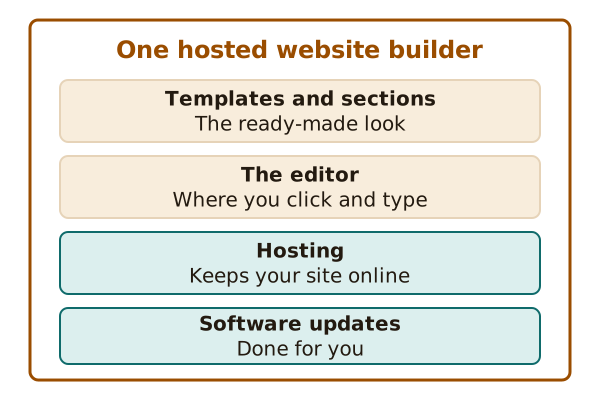
Most builders give you three things. They give you visual editing tools, ready-made designs called templates, and features for managing your content.[1]
What "hosted" means
A web host is a service that keeps your website on the internet so people can visit it.[2] Think of it as the place where your site lives.
With a hosted builder, the host comes in the same box. Making the site, managing it and keeping it running all come from one service.[1]
WordPress.com is one example. Its help pages say that hosting is included, so you don't need another host.[3] It also keeps the WordPress software up to date for you.[3]
Installing software yourself
There is another way to get a site. You can install website software on a host you choose.
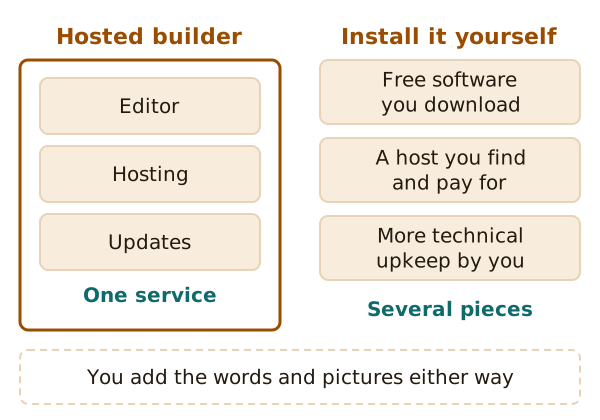
WordPress shows both ways well. You can download its software for free and upload it to a host of your choice.[2] That is often called self-hosting. The same software also runs on WordPress.com, where the hosting is managed for you.[2]
If you self-host, you find and pay for the hosting yourself. You also take on more of the technical work.[2]
A third kind
Some builders are not websites at all. They are programs that run on your own computer. You make the pages there and then publish them on any host.[1] This site is about the hosted kind, where everything happens in your browser.
The trade
A hosted builder trades freedom for ease. You start fast, and someone else handles the software and the server. But you work inside the choices the builder offers. The pages after this one show where those choices matter most: templates, plans and leaving later.
Next up is the building block of every builder site: the template.
Sources
- Website builder, Wikipedia (accessed 2026-10-22)
- WordPress.com vs. WordPress.org: What's the difference?, WordPress.com Support (accessed 2026-10-22)
- Choose a WordPress.com plan, WordPress.com Support (accessed 2026-10-22)