 Template to Launch
Part 6 of 9
What builder plans include and limit
What a builder plan usually covers, the limits to look for, such as storage, pages and a custom domain, and why plans differ.
Last reviewed
In a nutshell
- Almost every builder has a free level and paid plans.
- Plans differ in storage, features and whether you can use your own domain.
- Plans differ between builders, so always read the plan page of the one you use.
Why plans exist
The builder keeps your site on its servers. That costs money. So it charges for plans, with more features at each step up.
This page uses WordPress.com as one example of how a plan ladder works. Other builders set theirs up differently. Treat this as a guide to what to look for, not a list of what you'll get.
One example ladder
WordPress.com has a free level and four paid ones.
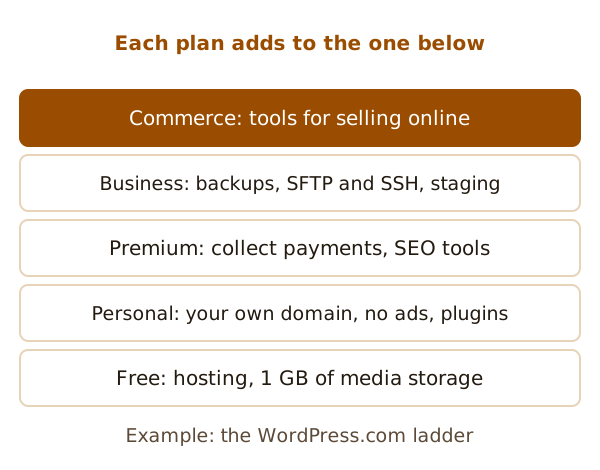
Here is what its help pages say each level covers:
- Free. Hosting is included, with 1 GB of storage for your media files.[1]
- Personal. Adds the use of your own domain, no ads, premium themes and plugins, and more storage.[1]
- Premium. Everything in Personal, plus earning from ads, collecting payments, Google Analytics and SEO tools.[1]
- Business. Everything in Premium, plus real-time backups, SFTP and SSH access, database management and staging sites.[1]
- Commerce. Everything in Business, plus tools for selling online.[1]
Limits to look for
Not every limit is a number. Some are features that are simply locked.
Notice what is not limited here. On WordPress.com, you can add as many pages and posts as you like.[1] That isn't true everywhere. Some builders cap pages on cheaper plans. Ask.
Five questions work on any plan page:
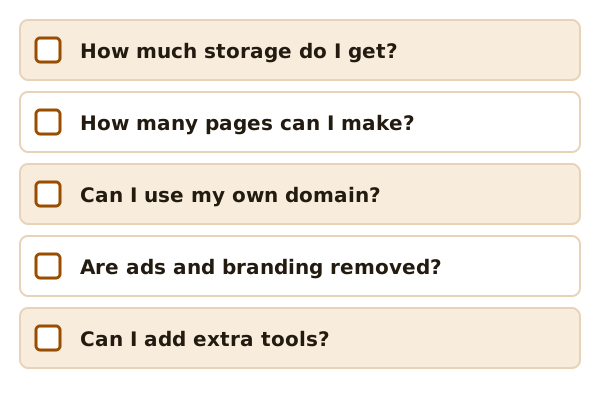
- How much storage do I get, and what counts toward it?
- Is there a limit on pages?
- Can I use my own domain on this plan? (See connecting a domain.)
- Are ads or the builder's branding removed?
- Can I add extra tools?
Money details
Plans usually come in monthly and yearly options.[1] Prices change, and they differ by country, so this site gives none. Read the live plan page.
You can often move up or down later. WordPress.com says you can upgrade or downgrade yourself at any time.[1]
Plans also usually belong to one site. On WordPress.com, each site needs its own paid plan to use that plan's features.[1] If you start over with a new site, Wix says to reassign your plan to it. Do that before you delete the old one.[2]
Pick what you need now
Start with what your site needs this month. If you find you need more, you can usually upgrade. Just check the rules for your builder first.
Next: how to put your own address on the site, in connecting your domain.
Sources
- Choose a WordPress.com plan, WordPress.com Support (accessed 2026-10-22)
- Wix Editor: Publishing Your Site, Wix Help Center (accessed 2026-10-22)