 Template to Launch
Part 7 of 9
Connecting a domain you already own
What connecting a domain to a builder site means, how it differs from transferring, and why it can take a day or two to start working.
Last reviewed
In a nutshell
- A domain is your web address, like
example.com. - You can connect one you already own to your builder site.
- After you connect it, expect a wait of up to a few days.
Why connect a domain
A builder site starts with an address the builder gives it, such as example.wordpress.com on WordPress.com.[1] That address carries the builder's name. A domain you own is yours to keep if you ever move.
Many builders will sell you a domain. If you already bought one elsewhere, you can connect it instead.
Some plans don't allow this. WordPress.com's free level doesn't, for example. Its Personal plan adds the use of your own domain.[2] Check the plan first.
Connect or transfer?
Both words appear in builder help pages. They mean different things.
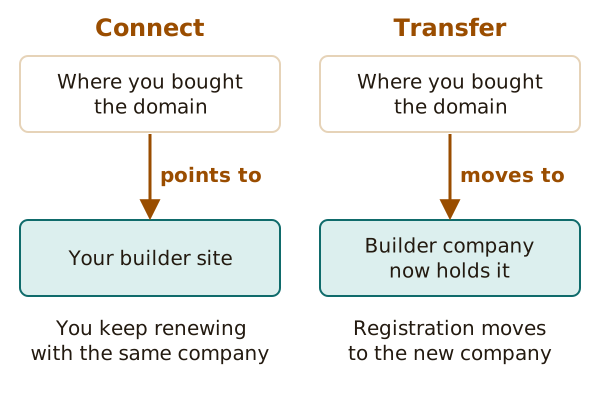
- Connect. Your domain stays registered where you bought it. It just points to your builder site. You keep renewing it with the same company.[1]
- Transfer. The registration itself moves to the builder's company.[3]
Connecting is the easier first step, and you can usually do it at any time. WordPress.com says you can connect before, during or after you build the site.[1]
How the connection is made
Your builder will tell you what to change at the company that holds your domain. There are two common kinds of change.
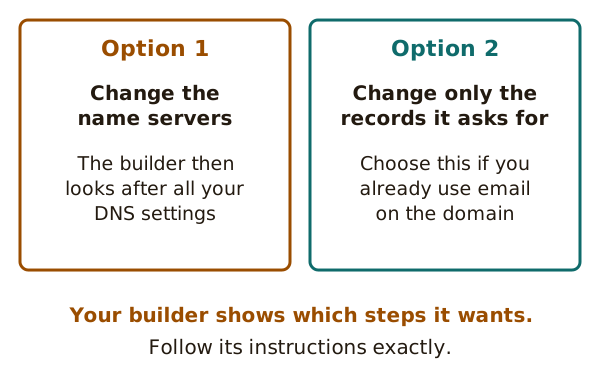
- Name servers. This hands the domain's settings over to the builder.[1]
- DNS records. You change only the records it asks for. This suits you if the domain already runs email you want to keep.[1]
You don't need to know what these are in detail. Your builder shows the exact values to copy. Copy them exactly.
Before you change anything, save a copy of the current settings. WordPress.com suggests a screenshot or a pasted copy in a document.[1] You probably won't need it, but it's cheap insurance.
The waiting part
Now comes a wait. The change has to spread across the internet. Wix calls this propagation.[4]
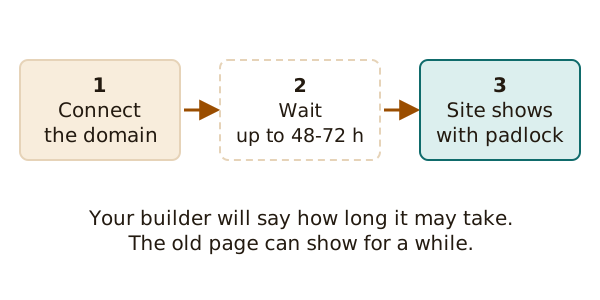
How long? Wix says up to 48 hours.[4] WordPress.com says up to 72 hours after a name server change.[1] Often it's quicker.[4]
While you wait, your site may not load on every device.[4] Don't panic and don't change things again. Wix says a "not secure" warning in this period is expected, because the site is still propagating.[4]
The padlock
A site with a valid SSL certificate shows a padlock and a secure address. Some builders add one for you. WordPress.com issues a free certificate once the domain is active.[1]
The setting details of DNS are their own subject. This site only covers what the builder asks of you.
Next: what if you want to leave one day? See leaving a builder.
Sources
- Connect a domain you registered elsewhere to WordPress.com, WordPress.com Support (accessed 2026-10-22)
- Choose a WordPress.com plan, WordPress.com Support (accessed 2026-10-22)
- Import from Wix to WordPress, WordPress.com Support (accessed 2026-10-22)
- Connecting a Domain to Wix FAQs, Wix Help Center (accessed 2026-10-22)