 Template to Launch
Part 5 of 9
Forms and other built-in features
How forms work in a hosted builder, where the messages go, and the difference between built-in features and add-ons.
Last reviewed
In a nutshell
- A form lets visitors send you a message from your page.
- Builders usually give you ready-made forms to drag in.
- Some features come built in. Others are add-ons you install.
What a form does
A form lets visitors send information straight to you through your site. That might be a message, a question or a sign-up.[1] Without one, you'd have to show an email address and hope.
Builders make forms easy to add. Wix offers premade forms such as contact forms, registration forms, job applications and price quotes.[2] You drag one onto the page and change the fields.
Where the messages go
Two places, usually.
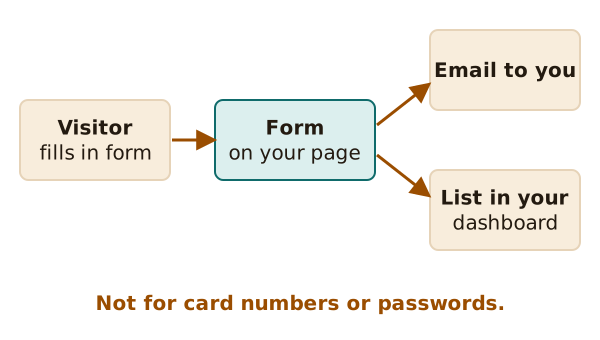
- To your email. In Wix, you get a notification at your account email each time someone sends a form.[2]
- To a list on your account. The builder keeps the entries so you can look back. In Wix you can export that data from a table.[2]
Test this early. Send yourself a message and check that it arrives. A form that quietly sends nothing is worse than no form.
What forms are not for
Forms are not safe for private data like credit card numbers. WordPress.com says this because the information is sent by email.[1] Use a payment tool made for the job instead. Never ask for passwords in a form either.
Spam
Any public form gets junk messages. Builders often add a filter. On WordPress.com, a spam filter called Akismet is turned on for every site.[1] Check what your builder does, and look in the spam folder now and then.
Built in or add-on?
Builders bundle a lot. WordPress.com lists built-in email newsletters and RSS among the things every site gets.[3]
But builders can't cover everything. So most allow add-ons, such as plugins or apps. These come with conditions. On WordPress.com, installing plugins needs a paid plan.[3]
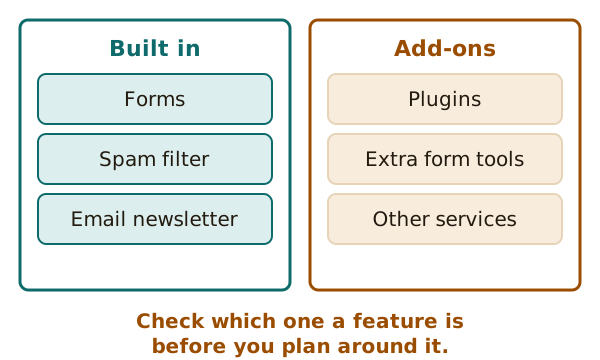
Sometimes you want a form the builder doesn't offer. WordPress.com says you can embed forms from other services, such as Google Forms.[1]
A simple rule
Before you plan around a feature, find out which type it is. Is it built in, an add-on, or on a higher plan only? That leads to the next page: plans and limits.
Sources
- Forms on your WordPress.com site, WordPress.com Support (accessed 2026-10-22)
- Wix Forms: An Overview, Wix Help Center (accessed 2026-10-22)
- Choose a WordPress.com plan, WordPress.com Support (accessed 2026-10-22)